TAL Center | TAL Classroom | Accessible Work Station | CALI | Computer-Assisted Legal Research | Exam Files | Copyright | Users' Agreement | Backing Up Files | Printing & Copying
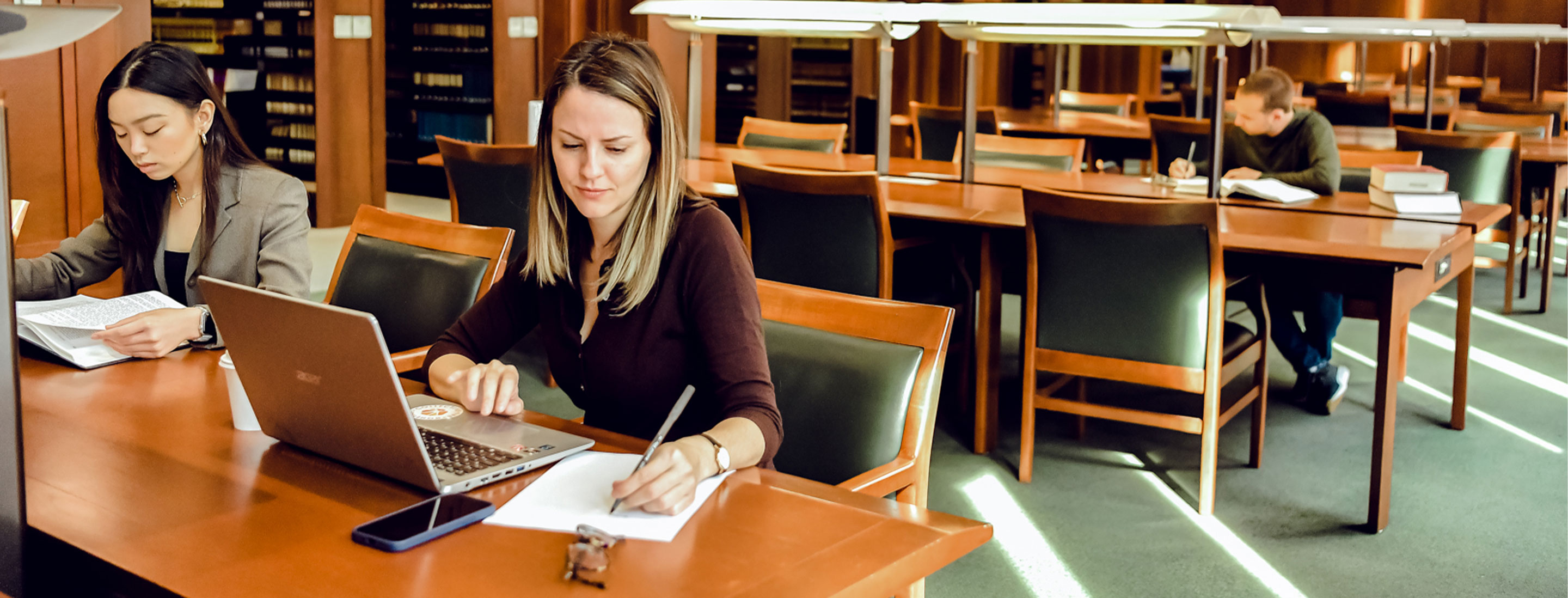
The Tydings & Rosenberg Technology Assisted Learning (TAL) Center,
located on level 4 of the law library, is designed to provide law students
with a multi-purpose computer facility and is equipped to meet the computing
needs of law students. A wide variety of software is readily accessible
from each work station for word processing, online legal research, and
computer-assisted instruction in more than 25 areas of substantive law.
The TAL Center may be used only by University of Maryland, Baltimore students,
faculty, and staff. Use of the TAL Center constitutes acknowledgment and
acceptance of the terms of the TAL Center Users' Agreement,
which is included below.
The TAL Center is open during library hours, closing 15 minutes before the library. Staff assistance is available during posted hours. Users needing assistance outside regular and posted hours may contact the TAL Center office during the day at (410)706-1612 to arrange a special appointment or to receive telephone assistance.
The TAL Center is equipped with 34 Dell Pentium IV computers for individual
use. All of the computers are configured with an Internet Explorer connection
permitting access to campus e-mail, the World Wide Web, Lexis, and Westlaw.
The TAL Center is equipped with two scanners that allow most printed
documents to be scanned into any of the major word processing formats.
All of the computers are attached to the GoPrint Pay-Per-Print system. Printing is $.10 per page, and Blackboard Course Material pages are $.05 per page. A Thurgood Marshall Law Library debit print card must be used for all printing.
All of the general use computers in the TAL Center have a basic set of software that includes Windows XP, Microsoft Office 2007, and Internet Explorer. In addition, student evaluation and grade programs are accessible from TAL Center computers. Internet utilities are provided to allow students to access their UMnet e-mail accounts. TAL Center staff will answer UMnet e-mail questions as they are able; however, the UMnet e-mail system is administered at the University level. For help with setting up accounts, lost passwords, etc., contact Center for Information Technology Services (CITS) at 6-HELP.
All software used in the TAL Center is stored on either the network or on the computers' fixed disks. Files and programs that are available to students are represented by an icon on the desktop. For security and virus prevention purposes only, the start menu is disabled and programs may not be run from floppy disks on TAL Center pcs. Files and documents should only be saved to a a usb flash drive or burned to a recordable CD.
If there is not an icon for a program that you would like to access, please see the TAL Center staff. Anti-virus software is loaded on each machine; however, the TAL Center is not responsible for lost or destroyed data. Please report suspected virus problems to TAL Center staff for prompt attention.
The Tydings & Rosenberg Technology Assisted Learning (TAL) Classroom,
located on level 4 of the law library, is equipped to to function as an
innovative computer equipped classroom. A wide variety of software is
readily accessible from each work station for word processing, online
legal research, and computer-assisted instruction in more than 25 areas
of substantive law. Instruction in specific computer skills and in the
application of computer technology to the study and practice of law are
currently provided in the TAL Classroom. The TAL Classroom may be used
only by University of Maryland, Baltimore students, faculty, and staff.
Use of the TAL Classroom constitutes acknowledgment and acceptance of
the terms of the Acceptable
Use Policy.
The TAL Classroom is a training facility and therefore is restricted
to scheduled events such as seminars, classes, and lectures. Schedules
are available through the University of Maryland School of Law Room
Availability System.
The TAL Classroom is equipped with 31 Dell Pentium IV computers for
individual use. All of the computers are configured with an Internet
Explorer connection permitting access to campus e-mail, the World Wide
Web, Lexis, and Westlaw.
All of the computers are attached to the GoPrint Pay-Per-Print system.
Printing is $.10 per page and Blackboard Course Material pages are $.05
per page. A Thurgood Marshall Law Library debit card must be used for
all printing.
All computers in the TAL Classroom have a basic set of software that includes Windows XP, Microsoft Office 2007 and Internet Explorer. Internet utilities are provided to allow students to access their UMnet e-mail accounts. All software used in the TAL Classroom is stored on either the network or on the computers' fixed disks. Files and programs that are available to students are represented by an icon on the desktop. For security and virus prevention purposes only, programs may not be run from floppy disks on TAL Classroom pc's. Files and documents should only be saved to a 3 1/2" floppy disk, a usb flash drive, or burned to a recordable CD.
If there is not an icon for a program that you would like to access, please see the TAL Center staff. Anti-virus software is loaded on each machine; however, the TAL Classroom is not responsible for lost or destroyed data. Please report suspected virus problems to TAL Classroom staff for prompt attention.
The Thurgood Marshall Law Library offers an accessible work station for students and faculty who require machine-assisted support.
Features include:
The law school is a member of the Center for Computer-Assisted Legal Instruction which distributes CALI programs on various topics. The CALI library of exercises is a collection of more than 270 computer-based lessons covering more than 30 legal education subject areas such as civil procedure, torts, contracts, property, and criminal law. The exercises are designed to augment traditional law school instruction. They can be used as supplemental materials or integrated with other course materials. CALI exercises are available in the TAL Center by clicking on the desktop CALI icon. Students may run the CALI programs in the TAL Center or may download them from http://www.cali.org and run the programs on their home PC. Additional information on the CALI programs can be obtained in the TAL Center.
Lexis and Westlaw, two major computer-assisted legal research services, are available for use by law students. First-year law students will be given individual passwords to access these databases at the beginning of the fall semester and will be trained during their legal research class in the spring semester. Other law students who wish to make arrangements for an advanced or a refresher session should check with a research librarian. The School of Law receives access to Lexis and Westlaw under special educational contracts that stipulate that the services may be used only for course-related work by currently enrolled students of the School of Law. Lexis and Westlaw are available all the hours the library is open from the computers in the TAL Center. Additionally, both Lexis and Westlaw can be used over the Internet with individual student passwords. Documents retrieved on Lexis and Westlaw may be downloaded to a disk, to a recordable CD or printed to dedicated high speed laser jet printers located in the TAL Center. Students are responsible for retrieving their printouts promptly. Printing should be kept to a minimum.
The library maintains a file of previous course exams to which faculty members may choose to contribute. Exams on File are available to UM Law students, faculty and staff only.
To guarantee continued access to commercial software programs, reproduction
of university-owned or licensed software is strictly forbidden. Under
federal copyright laws, unauthorized reproduction of software can be subject
to substantial civil penalties, as well as criminal action resulting in
fines and imprisonment. Installation on TAL Center computers of software
not owned by or licensed to University of Maryland, Baltimore is both
a violation of the users' agreement and a violation of federal copyright
law. A user making or using unauthorized copies of computer software or
documentation may be subject to:
The TAL Center strictly requires all users to obey copyright regulations.
The TAL Center Users' Agreement is designed to present the policies and
guiding principles of the TAL Center. Use of the TAL Center is deemed
acknowledgment and acceptance of the terms of this agreement.
Users who fail to abide by the stated policies of the University, the School of Law, or the TAL Center, or are otherwise disruptive, will be denied access to the lab, and may be subject to other discipline as appropriate.
Since disks can be easily damaged, it is very important to keep frequent backups of your files. The frequency of your backups should depend on how much time you are willing to spend recreating your work. Please realize that floppy disks are temporary media, and they can fail for no apparent reason. It is a very good idea to keep copies of important files on at least two floppy disks, a usb flash drive, or burn the files or documents to a recordable CD-ROM.
All computers print to the GoPrint Pay-Per-Print system which uses HP laserjet printers. A Thurgood Marshall Law Library debit card must be used to print on the laser printers, and the cost is $.10 per page and $.05 per page for Blackboard Course Material pages. Instructions for printing are available from the Office of Technology instructions on Printing in the Law School.
The library sells debit cards from machines located in the imaging rooms on levels 2 and 4. The cost of the card is $1.00, and it is reusable. The debit card dispensers have instructions on how to add value to the card after purchase. Both dispensers will issue a receipt. Please print your name on the card; lost cards are often returned to the User Services Desk on level 2 of the library. The card can be damaged by proximity to magnetic fields and by physical abuse. The library will not take responsibility for any value lost as a result of damage to the card or from loss of the card.
A Thurgood Marshall Law Library debit card is needed to copy at the library photocopiers, the microform reader/printers, and the laser printers. All prints and copies made with a debit card are $.10 per image, except for prints from Blackboard course pages, which are $.05 per image.
Debit cards purchased at the Thurgood Marshall Law Library cannot be used at any other facility, nor can cards purchased elsewhere be used here. Refunds cannot be given for value remaining on debit cards after use. When adding value to the debit card, remember that the full amount of the bill or bills inserted in the dispenser will be added to the debit card.
All computers print to the GoPrint Pay-Per-Print system which uses HP laserjet printers. A Thurgood Marshall Law Library debit card must be used to print on the laser printers, and the cost is $.10 per page and $.05 per page for Blackboard Course Material pages. For help with printing, see the Printing in the Law School instructions.
Imaging Rooms located on levels 2 and 3 of the law library are equipped with photocopier machines. There are two copiers on level 2 and one copier on level 3.